
BakkesMod Newest Version: How to Use the Latest BakkesMod Version
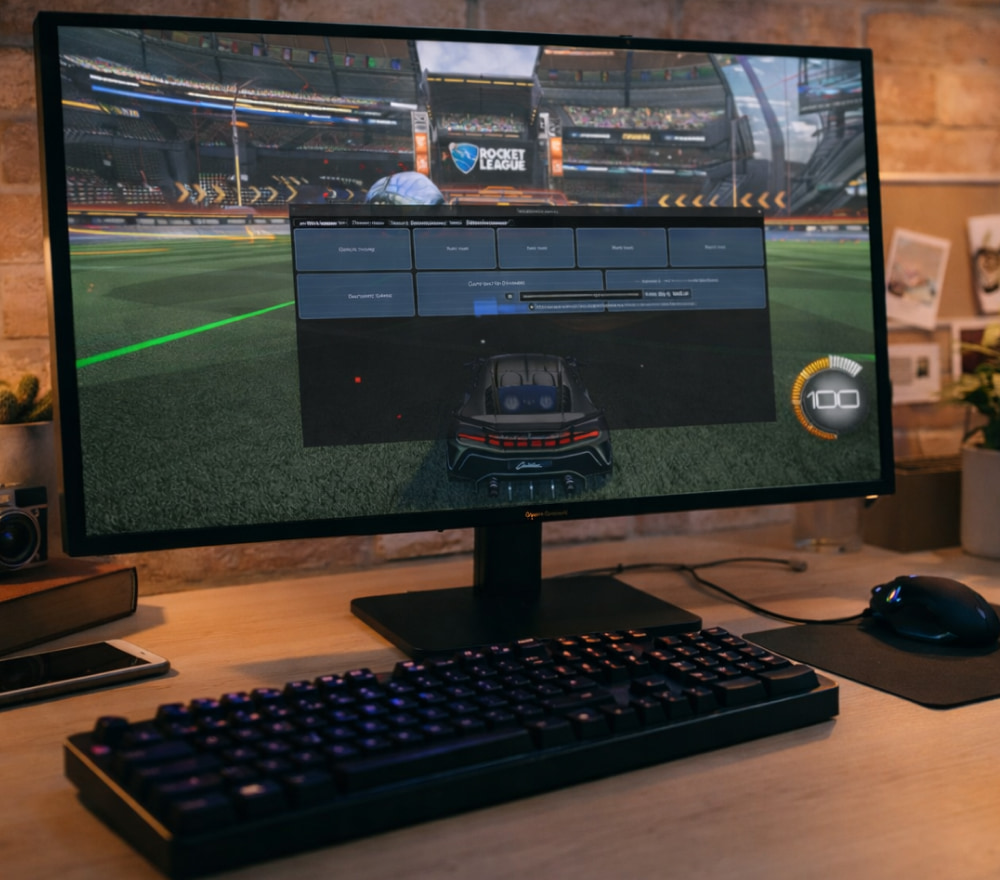
Download & Play BakkesMod on Windows PC
Install NowHow to Always Stay on the Newest BakkesMod Version
For many Rocket League players, staying on the BakkesMod newest version is the easiest way to keep their training packs, plugins and overlays working smoothly every time the game updates.
What BakkesMod Actually Does for Your Rocket League Experience
BakkesMod is a free community-developed modification for Rocket League on Windows that injects extra tools directly into the game to improve both training and customization options for players at every skill level.
Instead of being a simple cheat tool, it works more like an advanced practice assistant and HUD customizer, making it easier to grind mechanics, analyze replays, or just personalise how your car and interface look on screen.
- Create highly specific training scenarios for aerials, flicks, dribbles, redirects and kickoffs.
- Use overlays to see live stats such as boost usage, shot count or demo data during matches.
- Load custom maps and training packs made by the community for focused practice sessions.
- Test cosmetic items and car presets that only you can see without affecting competitive balance.
Because Rocket League itself receives regular patches, keeping BakkesMod updated ensures all of those extra features continue to function correctly after each game change.
Why Keeping the Build Updated Matters
From our fan website you will usually see a clear button for BakkesMod latest version download that leads to the most up-to-date installer so the mod can hook properly into the current Rocket League build.
If you ignore updates for too long, you may run into problems such as the mod not attaching to the game process, plugins refusing to load, or training packs behaving differently because key game variables changed.
- Check community hubs or the official site after major Rocket League patches.
- Confirm that your installed build matches the newest release notes.
- Update before you join important ranked sessions or tournaments.
“Treat BakkesMod like your favorite graphics driver: keep it current and it quietly makes everything feel smoother.”
Safe Places to Get the Installer
The most reliable approach is to use our fan website and the main plugin directory, because both are maintained by the BakkesMod community and clearly indicate that the mod is required before any plugins can be used.
When you choose the main installer, the BakkesMod download newest version option is typically highlighted so newcomers do not accidentally grab an outdated build or a test version meant for debugging. Avoid third-party mirrors that are not linked from trusted pages, because mod executables are an easy target for malware if they come from random file-sharing websites instead of verified sources.
How Updating Works in Practice
Thanks to the built-in auto-updater, the latest version of BakkesMod can silently fetch small patches whenever Rocket League gets a major update so you are not forced to reinstall the whole tool each time manually.
- Run the installer once and let it place the files in the suggested directory.
- Launch Rocket League, then start the BakkesMod launcher so it can inject into the game.
- Wait for the update check to finish; if a new build exists, it will download and apply it automatically.
- Open the in-game menu (usually with the F2 key) to confirm that everything loaded properly.
As long as the launcher can reach the update server, most future updates involve nothing more than starting the tool and letting it patch itself before you jump into ranked or freeplay.
Main Features You Unlock After Updating
With the latest BakkesMod version installed, you gain access to hundreds of plugins that expand everything from detailed stat tracking overlays to custom workshop map loaders designed specifically for Rocket League training.
Beyond the base mod, the plugin ecosystem significantly changes what you can do inside the game client without breaking competitive integrity or violating the standard matchmaking rules.
| Feature or Plugin Type | What It Adds | Benefit for Players |
|---|---|---|
| Advanced Custom Training | Create and share very specific drills with ball paths and car positions. | Target weak mechanics like fast aerials, wall shots or flip resets systematically. |
| Replay Enhancements | Extra camera options and data overlays when reviewing recorded games. | Spot rotation mistakes, boost pathing issues and defensive gaps more easily. |
| Stat & HUD Plugins | On-screen counters for demos, shots, win streaks and live rank info. | Track performance trends and share overlays with viewers while streaming. |
| Workshop Map Loaders | Smooth loading of Steam Workshop style maps even on the Epic version. | Access a massive library of custom maps for training and fun modes. |
| Team Training Tools | Plugins that organize multi-player drills and shared training packs. | Coordinate structured practice sessions with teammates more efficiently. |
Recent updates to the mod and its ecosystem have focused heavily on training pack support, replay tools and plugin compatibility, which is why staying current matters if you rely on those features during your improvement grind.
Troubleshooting After an Update
Even when the update process is straightforward, there are times when Rocket League or a major plugin update can cause unexpected behavior such as crashes, missing overlays or training packs not loading correctly.
- If the launcher fails to connect, check your firewall and antivirus settings for blocked connections.
- When plugins suddenly disappear, verify that their folders still exist in the correct BakkesMod directory.
- If Rocket League will not start with the mod attached, try launching the game first and the mod second.
- As a last resort, reinstall the tool from the official installer to restore default settings and files.
Because the project is community-driven, checking forum threads, plugin pages and Discord channels often yields quick fixes for problems that appear right after a new game patch or mod release.
Frequently Asked Questions
How often should I check for updates?
A good habit is to check for updates whenever Psyonix publishes a big Rocket League patch, since that is when compatibility issues are most likely to appear for any external tools that interact with the game.
Is it safe to use BakkesMod on my main account?
The tool has been used by a large portion of the Rocket League community for many years, and when downloaded from trusted sources it is generally considered safe, but you should still avoid shady download mirrors or edited builds that promise unfair gameplay advantages.
Where can I safely get the newest installer?
If you still wonder where to download BakkesMod newest version safely, follow the links from the official project site or the in-app updater instead of searching for random executable files on file-sharing platforms or unofficial forums.
What should I do before major tournaments or ranked sessions?
Before serious play, restart both Rocket League and the mod launcher, let the updater run, quickly test one or two plugins in freeplay, and only then queue into ranked so any surprise compatibility problems appear in a low-stakes environment.
By keeping your installation clean, using trusted sources and updating regularly, you can enjoy a stable, feature-rich setup that takes full advantage of what the newest BakkesMod builds make possible for Rocket League players.